

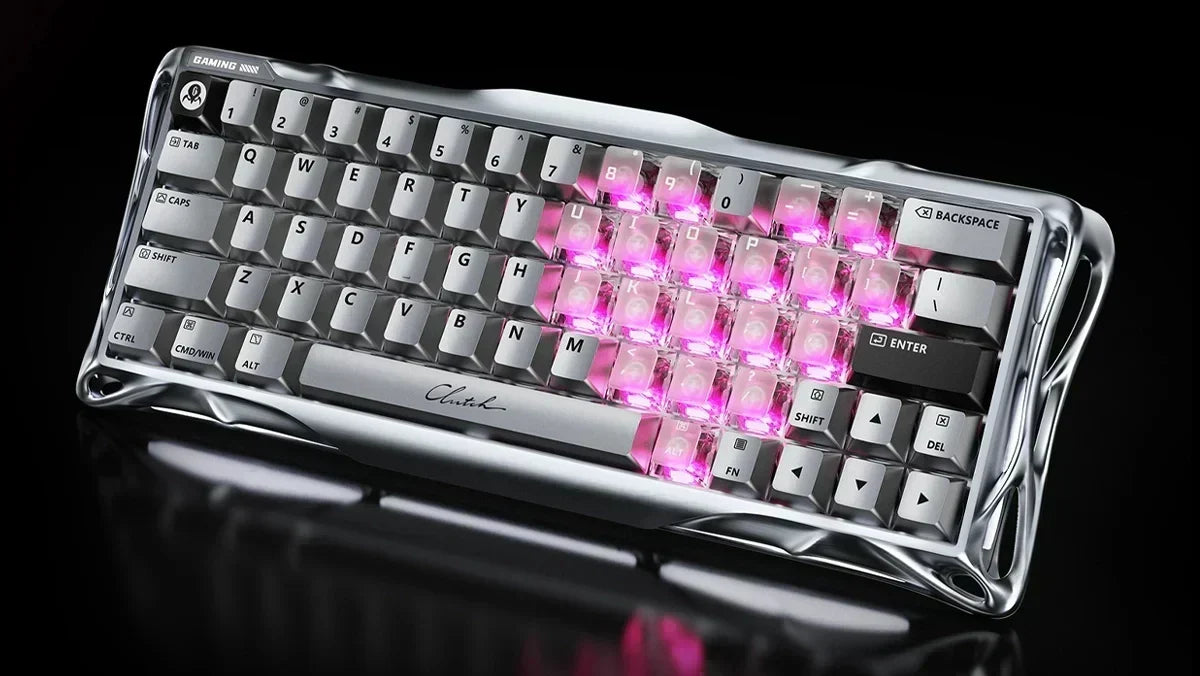
Anyone who deals with gaming keyboards will sooner or later come across a term that is becoming more and more common in the field: magnetic switches. Some swear by them, others wonder whether this is even a relevant difference to classic mechanical keyboards, or whether it's just hype. The short answer: The difference is real. And it is particularly noticeable when reaction time and precision really count.
Note: If you are still unsure which keyboard size or layout best suits your desk, first take a look at our comprehensive Gaming Keyboard Guide.
Magnetic Switch Keyboard Explanation: What is a magnetic switch?
With classic mechanical switches, everything works via physical contact. Press the key, two metal parts touch, signal is triggered. This works well, but has its limits.
Magnetic switches work completely differently. Each switch contains a small permanent magnet. Below it, on the circuit board, sits a so-called Hall effect sensor. When the key is pressed, the magnet moves closer to the sensor, and the sensor immediately registers the change in the magnetic field. No metal contacts need to touch. And thus no physical wear on the contact points.
The keyboard therefore knows exactly how far a key is pressed at all times. Whether at 0.1 mm, 1.5 mm or fully pressed. And you can adjust this individually. This is a considerable difference compared to the classic on/off principle of mechanical switches.
Hall Effect Keyboard: What's behind the technology?
The term Hall effect keyboard goes back to the American physicist Edwin Hall, who discovered the principle in 1879. Simply put: When a magnet approaches a sensor, the voltage flowing through that sensor changes.
For gaming keyboards, this means that there is no digital signal (pressed or not pressed), but every keystroke delivers an analog signal with precise information about the current position of the key. And that's why Hall effect switch advantages are possible that simply cannot exist with mechanical switches.
Another effect: Because no metal parts strike each other, there is also no bouncing. So no short, uncontrolled vibration signal on impact. Classic keyboards need a small software delay to filter out this bouncing. With Hall effect switches, this is completely eliminated.
Rapid Trigger Keyboard: The gaming advantage that makes the difference
Anyone who is active in the FPS community has probably heard the term "Rapid Trigger" before. This is where magnetic switches show their greatest strength.
Mechanical keyboards have fixed actuation and reset points. This means: A key must first return to a certain point after being pressed before it can be re-triggered. This takes time, and in some games, these milliseconds can be noticeable.
A Rapid Trigger keyboard works differently. Thanks to the continuous position data from the magnetic sensor, the keyboard already recognizes when the finger is only minimally lifted, sometimes from as little as 0.1 mm. The key is then immediately reset without having to wait for a specific reset point. And pressing it again is registered immediately.
The result: If you release a key, you can press it again immediately, without a short forced break. Especially in fast-paced games, where every reaction counts, this is exactly what makes the difference. It's no wonder that professional gamers are increasingly relying on Hall effect keyboards. Are you ready for the ultimate competitive advantage? Discover our professional 8000Hz Hall Effect Gaming Keyboards and experience instant triggering without noticeable latency. You can find out how these switches perform in practice compared to classic mechanical keyboards in the big comparison on our Gaming Keyboard Guide.
Adjustable actuation points are also among the advantages of magnetic keyboards
With magnetic switches, the actuation point can also be set via software, which is one of the biggest advantages of magnetic keyboards. So if you really need ultra-fast reactions, you can turn it down to 0.1 to 0.3 mm. If you prefer more travel and a more conscious typing feel, simply set it a little higher.
This is also particularly practical when a keyboard is used for various applications. For intensive gaming sessions, typing or both: the ideal range can be easily found individually with the best magnetic switch keyboard.
Advantages of magnetic switches vs. mechanical switches: Which is better?
Fairly speaking, both technologies have their strengths.
Mechanical switches have been proven for years and therefore also offer an enormous selection of different pressure points, sounds and typing feels. In addition, there is a community that customizes keyboards down to the smallest detail. From new keycaps to completely revised switches. For all those who like a noticeable feedback when typing or simply enjoy experimenting, they are still a very good choice.
Magnetic switch keyboards, on the other hand, score particularly well in terms of response speed, adaptability and durability. Since no metal contacts are involved, the crucial components hardly wear out. The consistency over the entire service life therefore also remains significantly more stable.
In short: Anyone who plays a lot and wants to take every advantage is well advised to use magnetic switches. Anyone who mainly types or values certain tactile properties will still be well served by classic mechanical switches in 2026.
For whom is a magnetic keyboard really worthwhile?
The clearest target group are probably FPS players. Because anyone who relies on quick movement stops, precise shooting and lightning-fast inputs in shooter titles benefits directly from Rapid Trigger and the adjustable actuation points.
But rhythm game fans also often appreciate the ability to trigger individual keys at a high frequency and without delay - this is also usually only possible if a gaming keyboard is magnetic.
And even for frequent typists who may never have been quite comfortable with the feedback of mechanical keyboards, magnetic switch keyboards can be a pleasant alternative. The key feel is often very smooth, simply because no hard metal spring influences the path. So if you want to get the most out of your aiming and are looking for a board that combines design and e-sports tech, take a look at our 8000Hz Hall Effect Gaming Keyboards collection and find your new gaming main.
The switch is less useful if you simply like the specific click or typing feel of classic switches. The market for mechanical keyboards simply offers more choice there.
FAQs: Frequently asked questions about magnetic switch keyboards
What is a magnetic switch?
A magnetic switch is a modern switch technology for keyboards. Instead of classic metal contacts, it uses a small magnet and a sensor that detects keystrokes without contact. This enables the magnetic keyboard to react faster and have adjustable actuation points.
What is the Hall effect in keyboards?
The Hall effect describes the principle by which the voltage at a sensor changes when a magnet approaches. With Hall effect keyboards, this enables precise and analog detection of the key position, completely without mechanical contact.
What is Rapid Trigger in keyboards?
Rapid Trigger is a function where the key is immediately reset as soon as the finger is even minimally lifted. Regardless of a fixed reset point. This enables extremely fast, repeated keystrokes.
How long do magnetic switches last?
Since no metal contacts wear out, magnetic keyboards are generally much more durable than classic mechanical switches. The performance remains more consistent over the entire service life.
Are magnetic keyboards also good for typing?
Yes. The smooth key feel and adjustable actuation force also make them comfortable for longer typing sessions. Also especially for those who find mechanical feedback too harsh.
![Mercury V60 Ultra Hall-Effect – Obsidian Black [ANSI Layout]](http://gravastar.de/cdn/shop/files/GravaStar-V60-Ultra-Hall-Effekt-Obsidianschwarz-UFO-Magnetschalter-8000Hz-0-08ms-0-001mm-RT-XS125-XS098-60-Vollaluminium-TOP-GravaStar-DE-18.webp?v=1790649870&width=600)

![Mercury V60 Pro Hall Effect - Cyber Frost Black [ISO-DE/ANSI Layout]](http://gravastar.de/cdn/shop/files/Mercury-V60-Pro-Cyber-Frost-Schwarz-60-Hall-Effekt-Gaming-Tastatur-8000Hz-Hot-Swap-Rapid-Trigger-GravaStar-DE-4.webp?v=1779244272&width=600)
![Mercury V60 Pro Hall-Effect – Smoke Steel / Silverfrost [ISO-DE Layout]](http://gravastar.de/cdn/shop/files/Mercury-V60-Pro-Stahlgrauer-Rauch-Silberfrost-60-QWERTZ-Hall-Effekt-Gaming-Tastatur-8000Hz-GravaStar-1.webp?v=1779855353&width=600)

![Mercury V75 Hall-Effect – Silver Frost [ANSI Layout]](http://gravastar.de/cdn/shop/files/Mercury-V75-Silberfrost-75-Hall-Effekt-Gaming-Tastatur-8000Hz-Rapid-Trigger-UFO-Switches-GravaStar-DE-111.webp?v=1788513614&width=600)

![Mercury V60 Hall Effect – Crystal Pink [ISO-DE/ANSI Layout]](http://gravastar.de/cdn/shop/files/MercuryV60KristallRosa60QWERTZHallEffektGamingTastatur8000HzRapidTriggerTransparentGravaStar5.jpg?v=1779244124&width=600)
![Mercury V60 Hall Effect - Onyx Crystal [ISO-DE/ANSI Layout]](http://gravastar.de/cdn/shop/files/Mercury-V60-Onyx-Kristall-60-Hall-Effekt-Gaming-Tastatur-QWERTZ-8000Hz-Rapid-Trigger-GravaStar-4.webp?v=1779243932&width=600)

![Mercury V75 Lite Hall Effect - Onyx Crystal [ANSI Layout]](http://gravastar.de/cdn/shop/files/Mercury-V75-Onyx-Kristall-75-Hall-Effekt-Gaming-Tastatur-8000-Hz-Rapid-Trigger-Blackcore-Switches-GravaStar-DE-3.webp?v=1788839751&width=600)




Leave a comment
This site is protected by hCaptcha and the hCaptcha Privacy Policy and Terms of Service apply.