

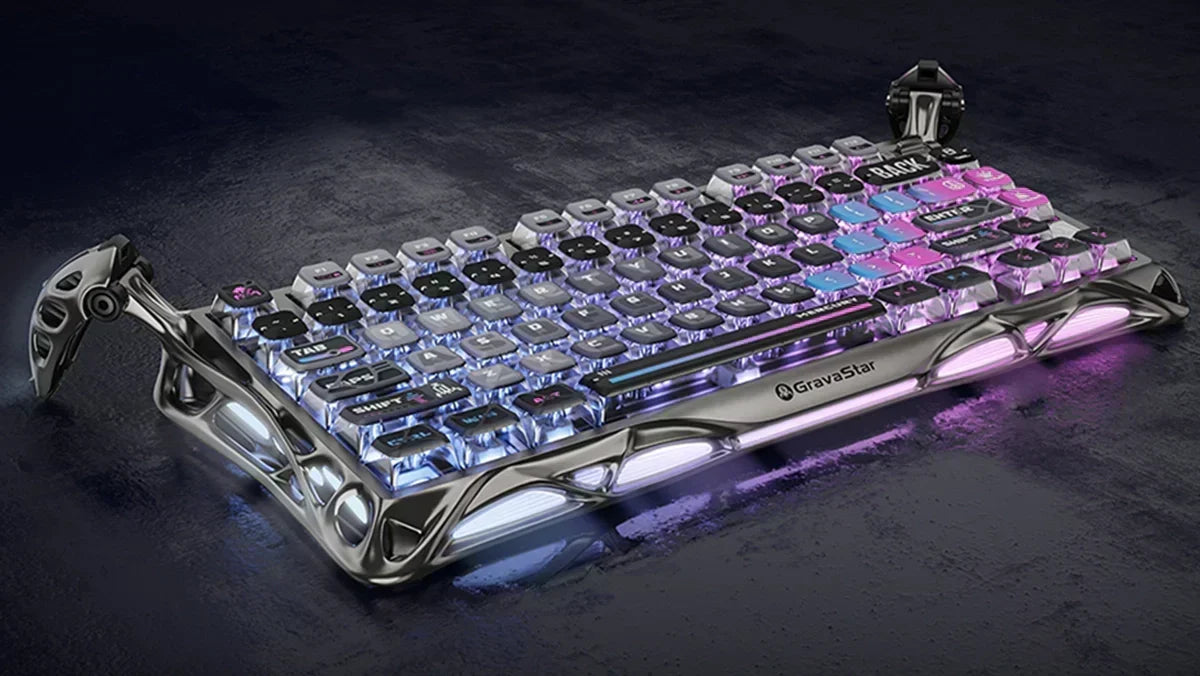
If you type a lot on your computer – whether for gaming, in the office, or in your home office – you’ll probably stumble upon the topic of mechanical keyboards sooner or later. Many people don't really know why these keyboards are so special or why they're suddenly appearing everywhere. You often hear phrases like: "Once you've typed on a mechanical keyboard, you'll never want to go back." But what's really behind it, and why do so many people rave about them?
Looking for a quick shortcut? If you want to directly see the technological differences of our high-end models and find the perfect layout for you, jump straight to our comprehensive Gaming Keyboard Guide here.
Mechanical Keyboard Explained: What exactly is a mechanical keyboard?
The big difference lies within. In a mechanical keyboard, each individual key has its own switch. This consists of a plastic housing, a spring, and a mechanical contact point.
As soon as a key is pressed, the switch moves downwards. The spring yields, and the contact is triggered even before the key is fully pressed down. This is precisely what provides that direct, precise typing feel. At the same time, the spring allows the key to cleanly return to its original position afterward.
In contrast, classic rubber dome keyboards use a rubber mat beneath the keys. This often feels softer, but also less precise. The difference becomes quickly noticeable after typing on both variants for a few minutes.
Another crucial point: with mechanical keyboards, often only part of the key travel is enough to trigger a signal. This makes typing not only faster but also much more intuitive. Especially when gaming, this can make a real difference.
Mechanical Switches Explained: What types of mechanical switches are there?
Anyone who deals with mechanical keyboards will probably quickly come across the so-called switches. They determine how a keyboard feels, how loud it is, and how quickly it reacts.
Most switches can be divided into three categories. And yes, the colors actually play a role.
Linear Switches (red)
Linear switches, often red, can be pressed evenly and without much resistance. They are quieter and particularly popular with gamers because they allow for fast inputs. With an actuation force of about 45 cN, they are smooth and react directly.
Tactile Switches (brown)
Tactile switches, usually brown, provide noticeable feedback. When pressed, you immediately feel exactly when the key is triggered. This makes for a comfortable typing experience without being too loud. At around 55 cN, they are a bit firmer and are considered ideal for both gaming and typing.
Clicky Switches (blue)
Clicky switches, typically blue, go a step further. They not only provide tactile feedback but also an audible click sound. For many, this feels extremely satisfying, but it can quickly become noticeable in quiet environments.
Optical Switches
In addition to these classic variants, there are also optical switches. Here, the signal is not triggered mechanically, but by light. This reduces wear and ensures even faster reactions.
Advantages of Mechanical Keyboards: When the switch is worthwhile
The advantages of mechanical keyboards initially arise from their construction. And they are quite noticeable in everyday life.
A big point is the lifespan. While simple keyboards often wear out after a few years, mechanical models can easily handle 50 to 100 million keystrokes per key. That's a difference that cannot be ignored.
Then there's the precise typing feel. Every input is registered cleanly, often even before the key is fully pressed. This reduces errors and makes typing more pleasant. Especially when a lot of typing is done, this becomes noticeable.
Mechanical keyboards also definitely show their strengths when gaming. Faster reaction times, clean inputs, and features like N-Key Rollover ensure that even multiple simultaneous key presses are recognized correctly.
And then, of course, there's the customization. Different switches, new keycaps, RGB lighting — mechanical keyboards can be customized like hardly any other input device.
Are there any disadvantages?
Of course, it's not without its drawbacks. The most obvious point is the price. Mechanical keyboards are simply more expensive to purchase than simple models. However, this is relativized by their significantly longer lifespan.
Another point for some is the noise level. Especially clicky switches can be quite audible. In a quiet office, this can quickly become an issue. While there are quieter alternatives, most mechanical keyboards are not completely silent.
And then there's the selection. The variety of switches, layouts, and features can be a bit overwhelming at first.
Mechanical Keyboard Tips: How to find the right model
When it comes to which is the best mechanical keyboard, the most important question is: What will the keyboard be used for? Those who primarily play games often prefer linear switches. Those who type a lot usually feel a bit more comfortable with tactile variants.
The volume should also not be underestimated. What sounds pleasant at home, as mentioned, can quickly become disruptive in the office.
A useful tip is also to look for a hot-swap function. This allows switches to be replaced later without soldering. Especially for beginners, this is a real advantage.
For the layout, it's mainly about space and habit. Full-size, TKL, or compact variants… everything has its justification. Check out our mechanical gaming keyboards now and find your perfect model.
For whom is a mechanical keyboard really worthwhile?
For gamers, the matter is quite clear. Those who need fast reactions benefit directly from the technology and a mechanical gaming keyboard. Especially in competitive games, this can make a real difference.
But even frequent typists quickly notice how comfortable a mechanical keyboard can feel. Thanks to fewer typos, clearer feedback, and overall a better flow when typing.
And even in everyday life, the switch is often worthwhile. Simply because typing feels more premium and direct.
A mechanical keyboard is less suitable for those who need to work as quietly as possible or only type very rarely.
The Verdict? More than just a gaming gadget
Mechanical keyboards had almost disappeared for a long time. With the triumph of inexpensive rubber dome models, they were somehow considered outdated. Today, the opposite is true.
They stand for quality, precision, and durability. In addition, there are special features. A mechanical keyboard is therefore not an unnecessary luxury, but a noticeable upgrade.
FAQs: Frequently Asked Questions
What is a mechanical keyboard?
A mechanical keyboard uses a separate switch with a spring and contact point for each key. This creates a more precise typing feel than with regular keyboards.
Which switches are the best?
That depends on the application. Linear switches are great for gaming, tactile switches for typing, and clicky switches for anyone who wants audible feedback.
How long does a mechanical keyboard last?
Many models achieve 50 to 100 million keystrokes per key, lasting significantly longer than classic keyboards.
Are mechanical keyboards loud?
Partially, yes. Especially clicky switches are clearly audible. However, there are also quieter alternatives.
Is a mechanical keyboard worth it for everyday use?
Yes, especially if you type regularly. The direct feel and precise keys simply make typing more pleasant and faster.
Conclusion: More than just a gaming gadget
Whether you want to climb the ranks in Valorant, fight epic battles in RPGs, or simply type accurately and ergonomically in your home office: a mechanical or magnetic keyboard is not an unnecessary luxury, but a noticeable upgrade for your hands.
Are you ready to experience the difference for yourself? Check out our detailed Gaming Keyboard Guide now, and find the perfect keyboard that optimally matches your aiming and your style!
![Mercury V60 Ultra Hall Effect – Obsidian Black [ANSI Layout]](http://gravastar.de/cdn/shop/files/GravaStar-V60-Ultra-Hall-Effekt-Obsidianschwarz-UFO-Magnetschalter-8000Hz-0-08ms-0-001mm-RT-XS125-XS098-60-Vollaluminium-TOP-GravaStar-DE-18.webp?v=1790649870&width=600)

![Mercury K1 Pro Mechanical – Cyberpunk [ISO-DE/ANSI Layout]](http://gravastar.de/cdn/shop/files/GravaStar-Mercury-K1-Pro-Gaming-Keyboard-Cyberpunk-Special-Edition-75-Hot-Swap-RGB-2.webp?v=1776232567&width=600)


![Mercury K1 Mechanical – Opal White [ISO-DE/ANSI Layout]](http://gravastar.de/cdn/shop/files/GravaStarMercuryK1OpalineWhite75_WirelessMechanicalKeyboard-1.webp?v=1776925469&width=600)
![Mercury V60 Hall Effect - Onyx Crystal [ISO-DE/ANSI Layout]](http://gravastar.de/cdn/shop/files/Mercury-V60-Onyx-Kristall-60-Hall-Effekt-Gaming-Tastatur-QWERTZ-8000Hz-Rapid-Trigger-GravaStar-4.webp?v=1779243932&width=600)
![Mercury K1 Mechanical – Sakura Pink [ISO-DE/ANSI Layout]](http://gravastar.de/cdn/shop/files/Mercury-K1-Sakura-Rosa-75-Mechanische-Gaming-Tastatur-Gasket-Mount-Tri-Mode-8000mAh-GravaStar-DE-6.webp?v=1779246012&width=600)

![Mercury K1 Mechanical - Black History [ISO-DE/ANSI Layout]](http://gravastar.de/cdn/shop/files/Mercury-K1-Gaming-Keyboard-Gradient-Black-75-Mechanical-Keyboard-2.webp?v=1776232531&width=600)
![Mercury V60 Pro Hall-Effect – Smoke Steel / Silverfrost [ISO-DE Layout]](http://gravastar.de/cdn/shop/files/Mercury-V60-Pro-Stahlgrauer-Rauch-Silberfrost-60-QWERTZ-Hall-Effekt-Gaming-Tastatur-8000Hz-GravaStar-1.webp?v=1779855353&width=600)
![Mercury K1 Lite Mechanical – Crystal Aurora [ISO-DE/ANSI Layout]](http://gravastar.de/cdn/shop/files/Mercury-K1-Lite-Gaming-Keyboard---Crystal-Aurora-_-75_-Mechanical-Keyboard-4_5be41d0a-2810-44e2-b824-901daca53dc7.webp?v=1776229358&width=600)
![Mercury V60 Pro Hall Effect - Cyber Frost Black [ISO-DE/ANSI Layout]](http://gravastar.de/cdn/shop/files/Mercury-V60-Pro-Cyber-Frost-Schwarz-60-Hall-Effekt-Gaming-Tastatur-8000Hz-Hot-Swap-Rapid-Trigger-GravaStar-DE-4.webp?v=1779244272&width=600)
![Mercury K1 Lite Mechanical – Crystal Pink [ANSI Layout]](http://gravastar.de/cdn/shop/files/Mercury-K1-Lite-Crystal-Rose-75-Mechanical-Keyboard-GravaStar-6.webp?v=1784771675&width=600)

![Mercury K1 Pro Mechanical - Phantom Silver [ANSI Layout]](http://gravastar.de/cdn/shop/files/Mercury-K1-Pro-Phantom-Silber-75-Mechanische-Gaming-Tastatur-Kailh-Speedy-Mint-8000mAh-Tri-Mode-GravaStar-DE-18.webp?v=1787123977&width=600)
![Mercury V75 Hall-Effect – Silver Frost [ANSI Layout]](http://gravastar.de/cdn/shop/files/Mercury-V75-Silberfrost-75-Hall-Effekt-Gaming-Tastatur-8000Hz-Rapid-Trigger-UFO-Switches-GravaStar-DE-111.webp?v=1788513614&width=600)
![Mercury V60 Hall Effect – Crystal Pink [ISO-DE/ANSI Layout]](http://gravastar.de/cdn/shop/files/MercuryV60KristallRosa60QWERTZHallEffektGamingTastatur8000HzRapidTriggerTransparentGravaStar5.jpg?v=1779244124&width=600)
![Mercury K1 Mechanical - Stealth Black [ANSI Layout]](http://gravastar.de/cdn/shop/files/Mercury-K1-Stealth-Schwarz-75-Mechanische-Gaming-Tastatur-Kailh-Cherry-Pink-Hot-Swap-8000mAh-Tri-Mode-RGB-DE-7.webp?v=1779268808&width=600)



Leave a comment
This site is protected by hCaptcha and the hCaptcha Privacy Policy and Terms of Service apply.